Navigator now allows you to print or save a copy of your VAT100 return directly from the VAT Return screen.
This makes it easier to retain a copy of your VAT figures for your records, share them with your accountant or print a physical copy when required.
How to Print Your VAT100 Return
Navigate to Accounts > VAT Return.
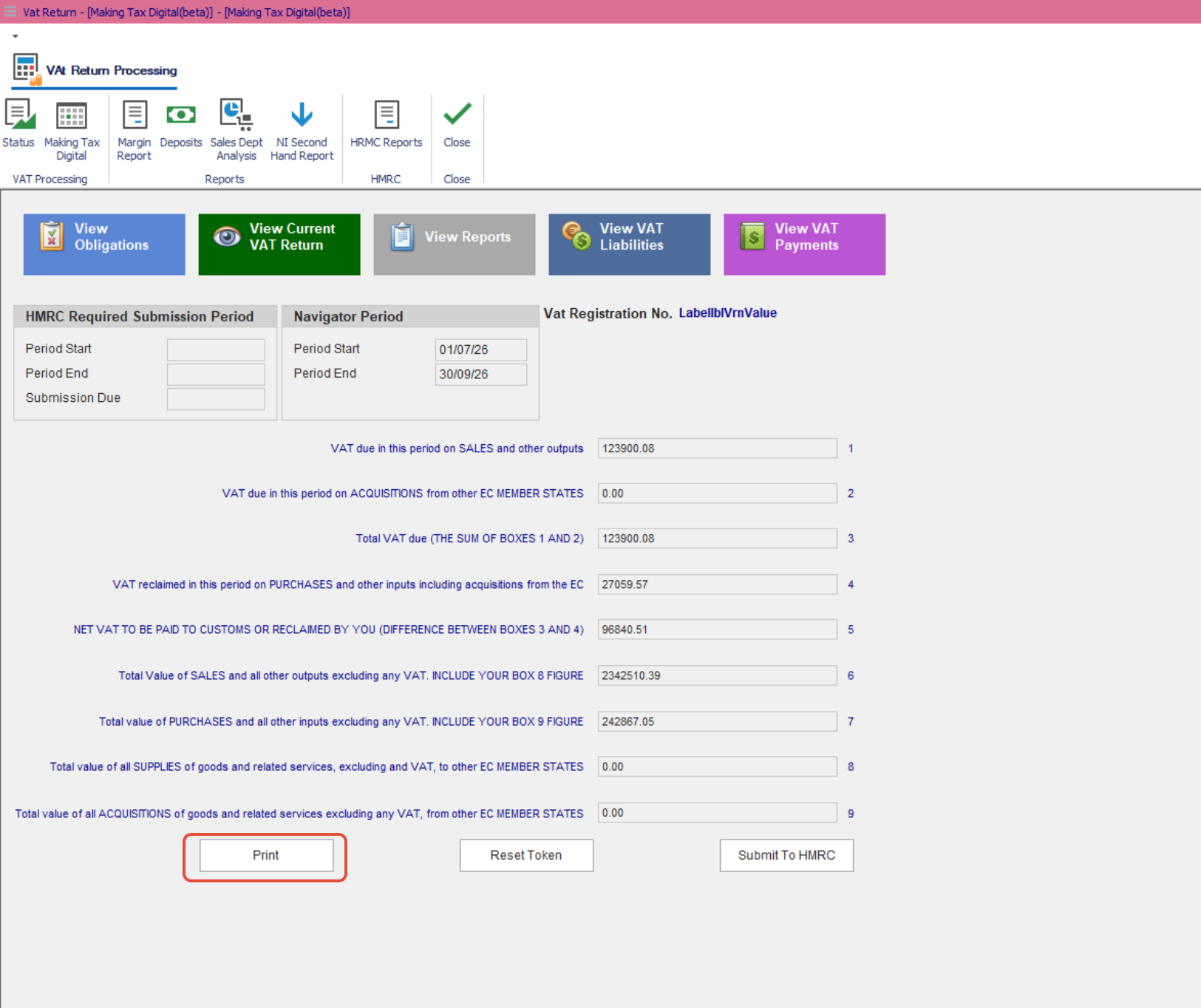
Open the Making Tax Digital screen.
Check that the correct VAT period is displayed.
Review the VAT figures shown on screen to ensure they are correct.
Click Print at the bottom of the screen.
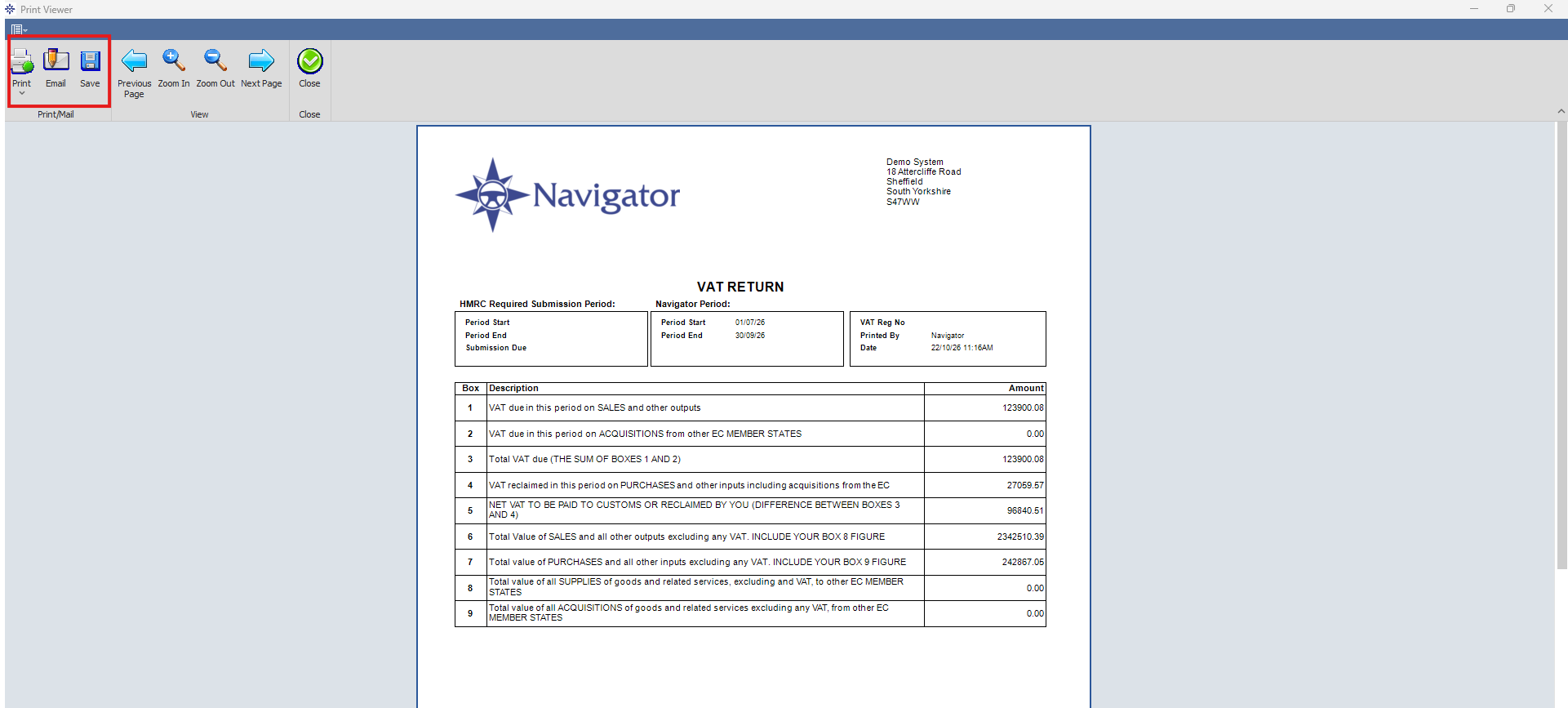
Navigator will generate an on-screen print preview of your VAT100 return.
From the print preview, you can either print a physical copy or save the return as a PDF.
How to Save Your VAT100 Return as a PDF
Follow the steps above to open the VAT100 print preview.
Select the option to Print from the preview.
Choose Microsoft Print to PDF or another available PDF printer.
Select where you would like to save the file.
Enter a suitable filename and click Save.
Your VAT100 return will now be saved as a PDF, allowing you to access, store or share it when needed.
Important Information
The Print option produces a copy of the VAT100 return using the figures currently displayed in Navigator.
Printing or saving the VAT100 does not submit the return to HMRC.
If you need to submit your VAT return through Making Tax Digital, use the separate Submit To HMRC option.
Always check the VAT period and figures before printing or saving your return.
This enhancement provides a convenient way to keep a copy of your VAT100 return without needing to capture screenshots or manually record the figures.
Was this article helpful?
That’s Great!
Thank you for your feedback
Sorry! We couldn't be helpful
Thank you for your feedback
Feedback sent
We appreciate your effort and will try to fix the article