If you need to change the closing date of a Cashbook reconciliation period, you can do this directly from the Reconciliation screen.
Steps to Amend the Closing Date
Navigate to Accounts > Cashbook.
If you have multiple bank accounts, select the bank account you wish to amend.
On the Reconciliation screen, select Change Dates within the Bank Details section.
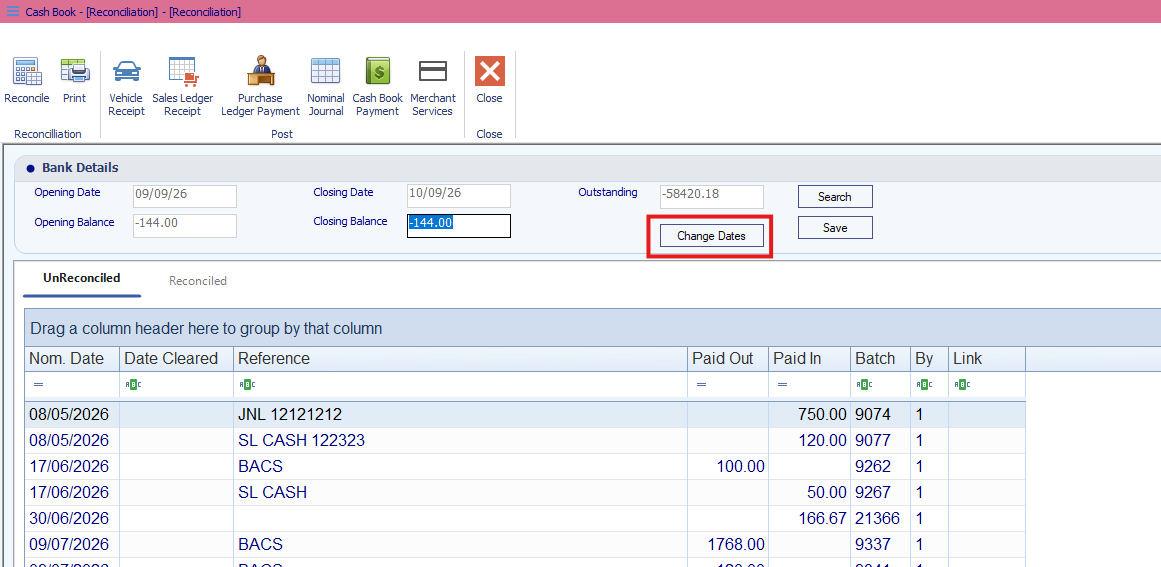
The Amend Dates window will appear.
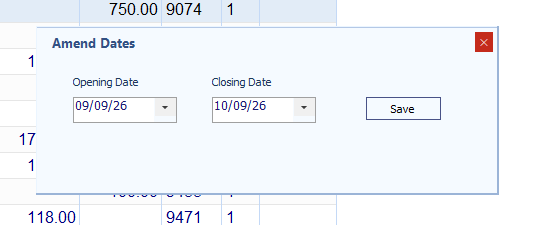
Enter or select the new Closing Date.
Click Save to confirm the changes.
The Reconciliation screen will now display the updated closing date.
Was this article helpful?
That’s Great!
Thank you for your feedback
Sorry! We couldn't be helpful
Thank you for your feedback
Feedback sent
We appreciate your effort and will try to fix the article