Navigator now allows you to manually specify the VAT percentage when adding a Free Type Part to a Vehicle Health Check (VHC).
This improvement makes adding non-stock parts to VHCs quicker and easier, while allowing the correct VAT rate to be applied.
How to Add a Free Type Part to a VHC
Navigate to Parts > Point of Sale (EPOS).
Select the VHC associated with the workshop job.
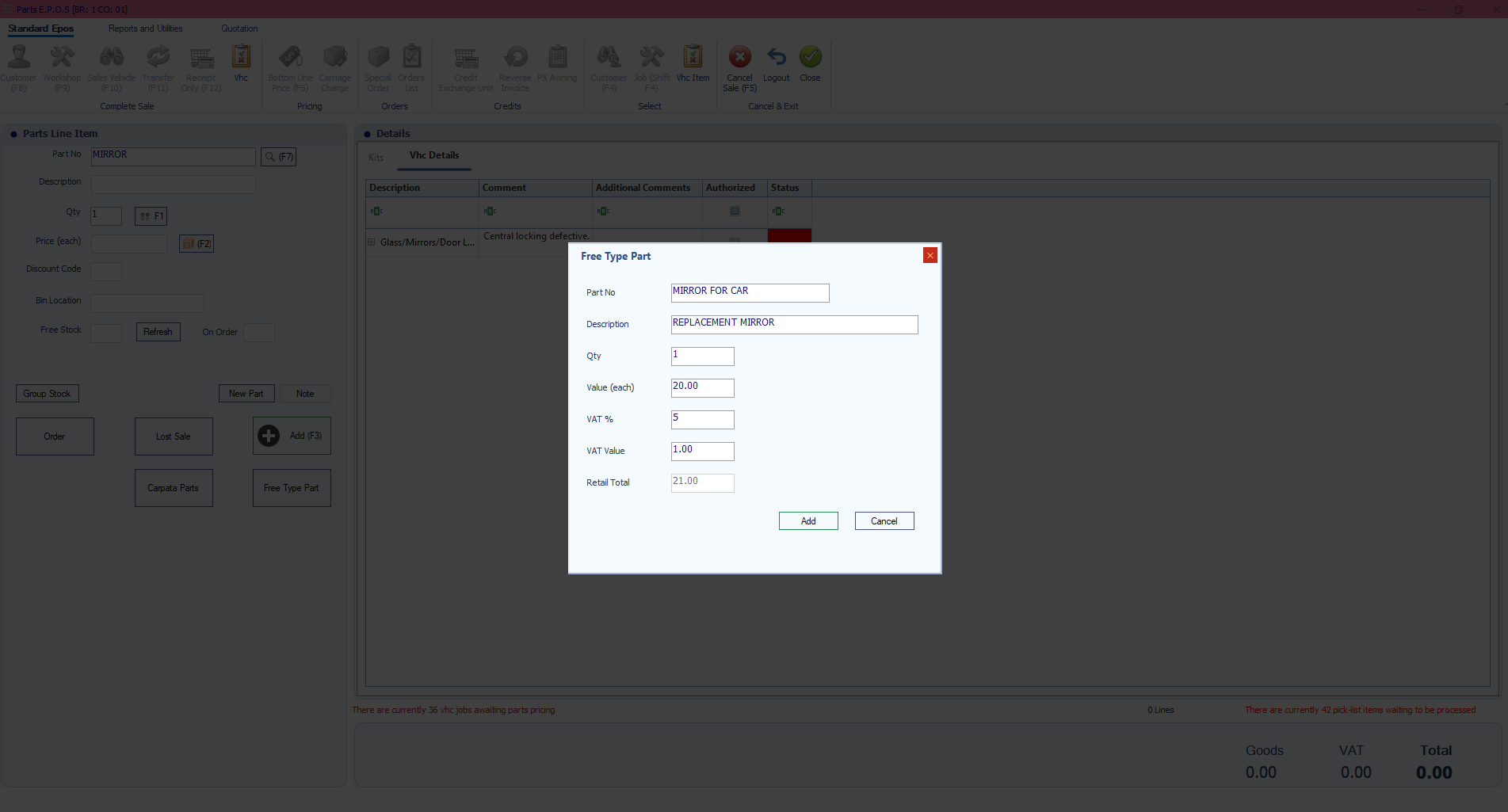
Click Free Type Part.
In the Free Type Part window, enter the following information:
Part No – Enter a part number or reference.
Description – Enter a description of the part.
Qty – Enter the required quantity.
Value (each) – Enter the price per item, excluding VAT.
VAT % – Enter the required VAT percentage, such as 20, 5 or 0.
Navigator will calculate the VAT Value and Retail Total using the percentage entered.
Check the details and click Add to add the part to the VHC.
What Has Changed?
Previously, entering non-stock parts against a VHC offered less flexibility when specifying VAT.
You can now enter the VAT rate directly as a percentage, making it easier to apply the appropriate rate without additional adjustments.
This helps speed up the process of adding parts to a Vehicle Health Check, particularly when the parts are not already held in stock.
Important Information
The VAT % field accepts a manually entered percentage.
The VAT amount and retail total are calculated using the entered rate.
Always check that the correct VAT rate has been applied before adding the part.
This functionality is available when using Free Type Part within Parts EPOS for a VHC.
This enhancement reduces manual steps and makes it quicker to add non-stock parts to Vehicle Health Checks.
Was this article helpful?
That’s Great!
Thank you for your feedback
Sorry! We couldn't be helpful
Thank you for your feedback
Feedback sent
We appreciate your effort and will try to fix the article