You can configure the system to automatically clear balances from specific Internal Sales Ledger accounts nightly, promoting efficiency and accuracy.
Configuration Steps
Navigate to Account Setup: Access the specific Sales Ledger account you wish to automate.
Access Terms: Go to the Terms tab within the account setup screen.
Enable Automatic Clearance:
Locate the Clear to Nominal field.
Enter the desired nominal code into this field (e.g., your Sales Suspense or relevant control account).
Action: Entering a nominal code here activates the automated process.
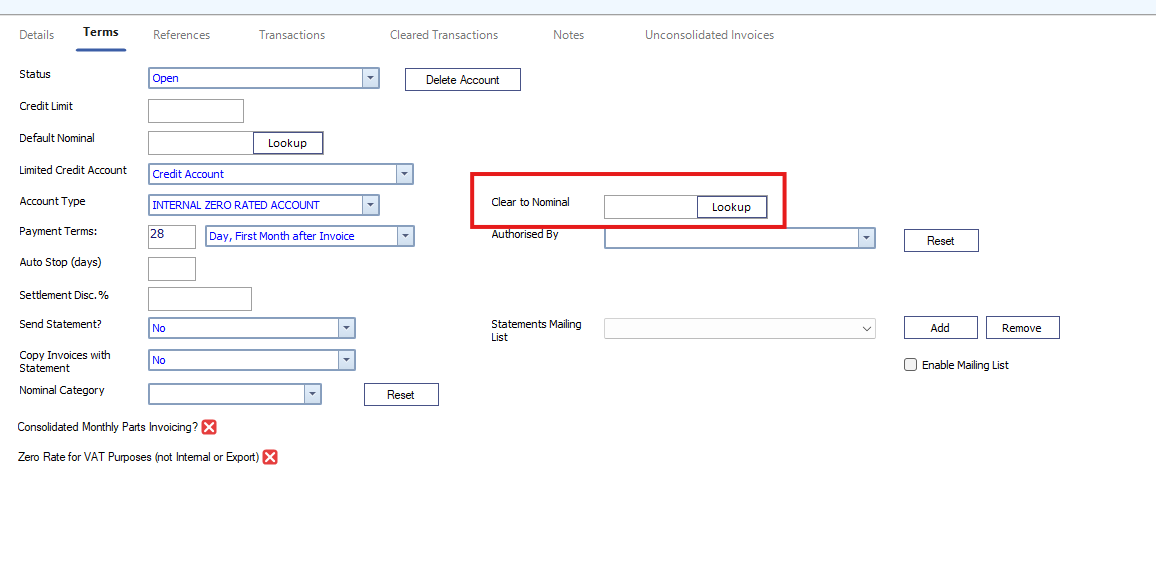
The system will then run a routine overnight to clear the balance of this account to the specified nominal code.
⚠️ Critical Exception Rule
The automatic clearance process will be halted if a name is entered in the Authorised By field.
To ensure the account clears automatically overnight, the Authorised By field must be left empty.