The new Copy Privileges function allows you to quickly copy permissions from an existing staff member to a newly created staff record.
Why This Matters
Copying privileges helps:
- Reduce setup time
- Maintain consistent permissions
- Minimise configuration errors
- Speed up staff onboarding
How to Copy Staff Privileges
- Open the new Staff Record.
- Select the Privileges tab.
- Click Copy Privileges.
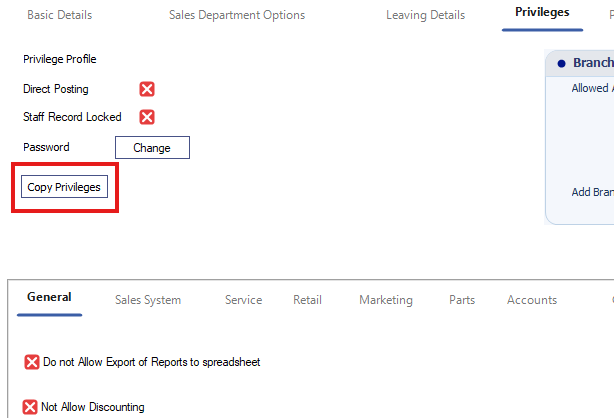
- Select the existing staff record to copy from.
- Confirm the selection.
The privileges will be copied to the current staff record.
Result
The new staff member receives the same privileges as the selected existing user.
Was this article helpful?
That’s Great!
Thank you for your feedback
Sorry! We couldn't be helpful
Thank you for your feedback
Feedback sent
We appreciate your effort and will try to fix the article