This process is used to post supplier invoices against goods that have been received but not yet invoiced.
GANI stands for Goods Accepted Not Invoiced.
Why This Matters
When goods are received before an invoice arrives, they appear on the GANI tab in the supplier’s purchase ledger account.
Posting and allocating the invoice clears the item from GANI and moves it to the main Transactions tab, ensuring your accounts accurately reflect both stock and liabilities.
When to Use
Use this process when:
You have received goods into stock.
The items appear on the GANI tab.
You have now received the supplier’s invoice.
Steps
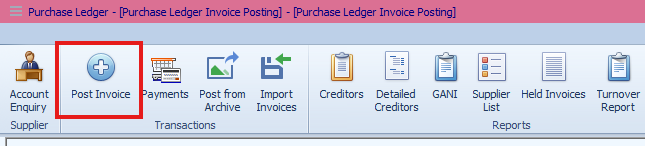
Go to Purchase Ledger > Post Invoice.
Set the Nominal Date.
Enter the following details:
Account Number
Invoice Number
Invoice Date
Invoice Total (including VAT)
Notes (if required)
Select GANI to view available lines.
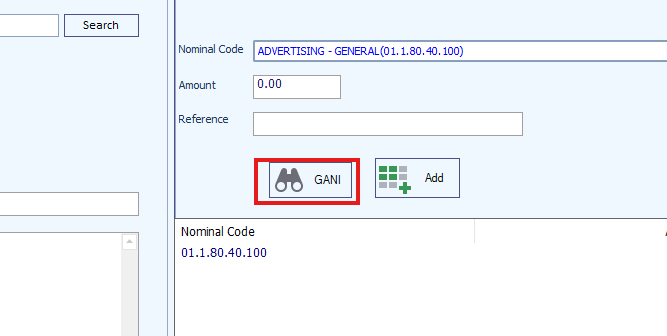
Double-click each GANI line you wish to allocate to this invoice.
Once all lines are selected, click Post and then Finish.
Result
The allocated lines are removed from the GANI tab and moved to the Transactions tab.
They are now ready to be paid as part of normal purchase ledger processing.
Key Points
Always check the invoice total matches the GANI value before posting.
Only allocate genuine received goods that the invoice covers.
This process ensures supplier balances and stock values stay accurate.
Was this article helpful?
That’s Great!
Thank you for your feedback
Sorry! We couldn't be helpful
Thank you for your feedback
Feedback sent
We appreciate your effort and will try to fix the article