You can assign each request line to a different account. This is useful when a single request needs to be split across multiple customers or departments.
Why This Matters
When you allocate each line to the correct account, you ensure accurate billing and reporting. This avoids manual adjustments later and helps maintain clean, auditable financial records.
Steps
Open the request you want to edit.
Select the request line you need to charge to another account.
Change the Customer field to Other Account.
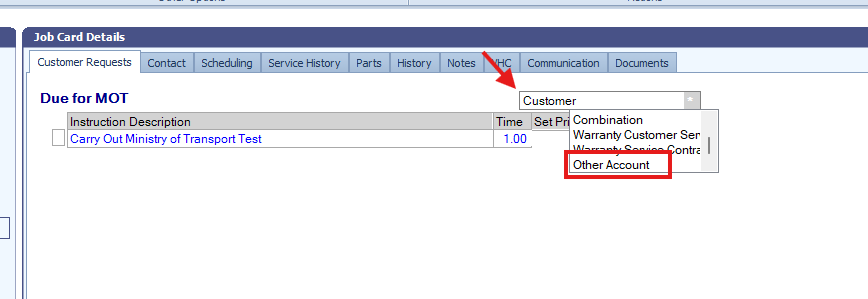
Enter the account number in the field provided.
Select OK.
Repeat these steps for any additional lines that need to be charged to different accounts.
Was this article helpful?
That’s Great!
Thank you for your feedback
Sorry! We couldn't be helpful
Thank you for your feedback
Feedback sent
We appreciate your effort and will try to fix the article