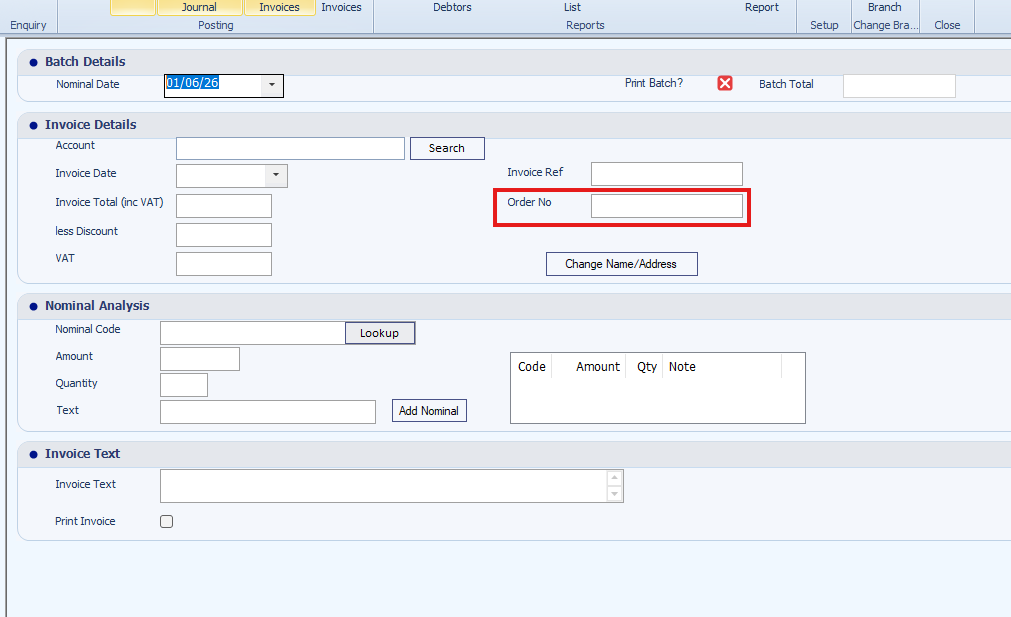
Order numbers entered during Sales Ledger invoice posting now appear within the Sales Ledger Transaction List.
Why This Matters
Displaying order numbers allows you to:
- Identify transactions more easily
- Improve invoice tracking
- Cross-reference customer orders
- Simplify account enquiries
How It Works
- Post a Sales Ledger invoice.
- Enter an Order Number during invoice creation.
- Open the Sales Ledger Transaction List.

The order number is displayed alongside the transaction details.
Result
Order numbers are visible directly within the transaction list for improved reference and reporting.
Was this article helpful?
That’s Great!
Thank you for your feedback
Sorry! We couldn't be helpful
Thank you for your feedback
Feedback sent
We appreciate your effort and will try to fix the article