You clear a parts discount code when a discount no longer applies to a specific part. Removing the code prevents the system from applying the discount during parts sales.
Why This Matters
Accurate discount settings protect pricing and margin.
You stop outdated discounts from applying automatically.
You ensure correct pricing during parts sales.
You maintain clean and accurate part records.
Steps
Open Parts.
Select Parts View/Update Records.
Enter or search for the required Part Number.
Open the part record.
Locate the Discount Code field.
Select Clear next to the discount code.
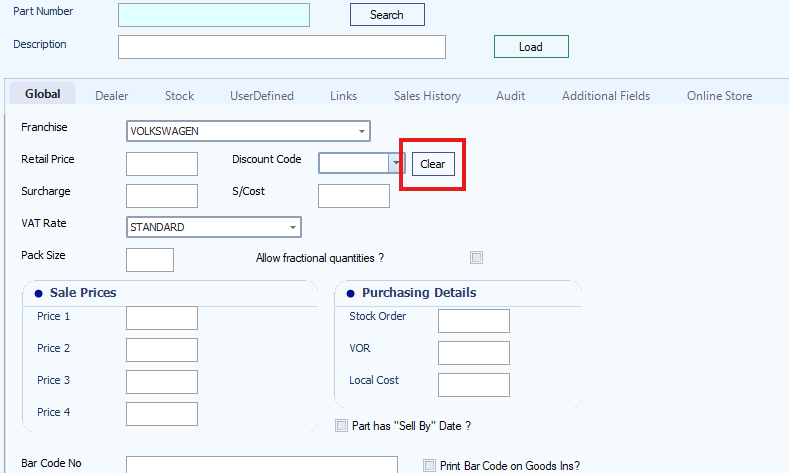
Save the record.
Result
The discount code is removed from the part. The system no longer applies the discount during parts sales.
Was this article helpful?
That’s Great!
Thank you for your feedback
Sorry! We couldn't be helpful
Thank you for your feedback
Feedback sent
We appreciate your effort and will try to fix the article