The Staff List now includes additional information showing whether a staff record is active and, where applicable, the date the record was marked as left or deleted.
Why This Matters
This additional visibility helps you:
- Identify active users quickly
- Review historical staff records
- Improve user account management
- Support auditing and compliance requirements
Viewing Staff Status Information
- Go to Setup.
- Open Staff Records.
- Select Staff List.
The list now includes:
- Active Status
- Date Deleted
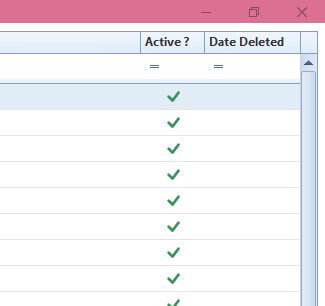
Result
You can easily identify active staff members and review when former staff records were removed or marked as left.
Was this article helpful?
That’s Great!
Thank you for your feedback
Sorry! We couldn't be helpful
Thank you for your feedback
Feedback sent
We appreciate your effort and will try to fix the article