Internal Authorise is used to review and approve transactions that have been invoiced to internal accounts. These transactions are assigned to a specific user through the Authorised By field on the account record.
Only accounts with an Account Type of Internal Zero Rated Account display the Authorised By field on the Terms tab.
Why This Matters
Internal Authorise helps you:
- Track costs charged to internal departments or cost centres.
- Ensure the correct manager reviews and approves internal charges.
- Maintain accountability for internal expenditure.
- Provide visibility of outstanding internal transactions awaiting approval.
How It Works
- Open the internal account in Accounts > Sales Ledger.
- Navigate to the Terms tab.
- Select a user in the Authorised By field.
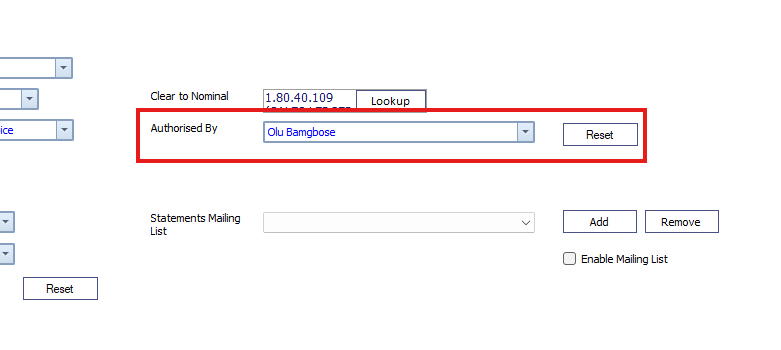
- Invoice work to the internal account.
Any transactions invoiced to that account are linked to the selected user for authorisation.
Example
If a workshop job is completed and invoiced to an internal account that has an Authorised By user assigned, the transaction appears in:
Service Managers Toolkit > Internal Authorise
The assigned user can then review and authorise the charge by single clicking and selecting Authorise.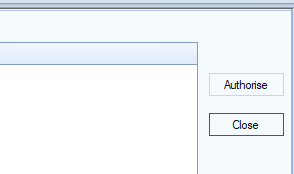
Important Notes
- The Authorised By field is only available on accounts with an Account Type of Internal Zero Rated Account.
- Transactions only appear in Internal Authorise when they are invoiced to an eligible internal account.
- The transaction is routed to the user selected in the Authorised By field.
Was this article helpful?
That’s Great!
Thank you for your feedback
Sorry! We couldn't be helpful
Thank you for your feedback
Feedback sent
We appreciate your effort and will try to fix the article