This error message appears because a specific job line has an associated parts request that is currently marked as 'Awaiting Parts'. The system prevents you from invoicing the job until all necessary parts are confirmed as received and booked, ensuring accurate billing and stock control.
Resolution Steps
To clear the error and proceed with invoicing, you need to manually mark the parts request as complete:
Locate the Request: Find the specific job line that is causing the error.
Access the Request Status: Click the "P" icon located next to the request line.
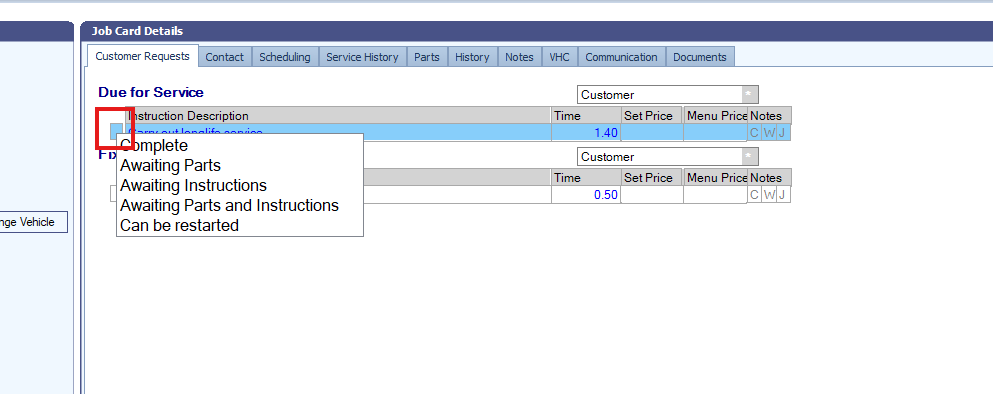
Mark as Complete: Within the request status window, update the status to mark it as 'Complete' or 'Parts Booked In' (depending on your system settings).
Once the request status is updated, you should be able to finalise and invoice the job.
Was this article helpful?
That’s Great!
Thank you for your feedback
Sorry! We couldn't be helpful
Thank you for your feedback
Feedback sent
We appreciate your effort and will try to fix the article