You can unallocate a payment or invoice directly from the Cleared Transactions tab in the Purchase Ledger.
Why This Matters
Unallocating payments is important when a payment has been matched to the wrong invoice or applied in error. It allows you to correct the allocation without deleting or recreating transactions, keeping your ledger accurate and consistent.
Steps
Go to Purchase Ledger Account.
Select the Cleared Transactions tab.
Enter the date range that includes the payment or invoice you want to unallocate.
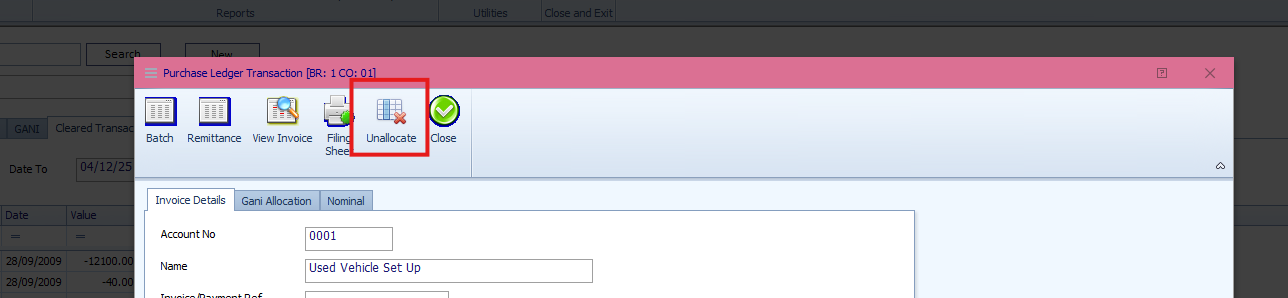
Find and double-click the relevant payment.
Select Unallocate.
Result
The payment reference is cleared.
The payment and invoice are reinstated on the Transactions tab.
Both items are now available for reallocation or review.
Was this article helpful?
That’s Great!
Thank you for your feedback
Sorry! We couldn't be helpful
Thank you for your feedback
Feedback sent
We appreciate your effort and will try to fix the article