Work Day Configuration
If days are missing from the diary, you will need to ensure you have selected the days the technician actually works, this ensures the hours available in the diary are correct.
To do this within the Technician Setup tab within Staff Records, tick the days they work and press Update and Save once done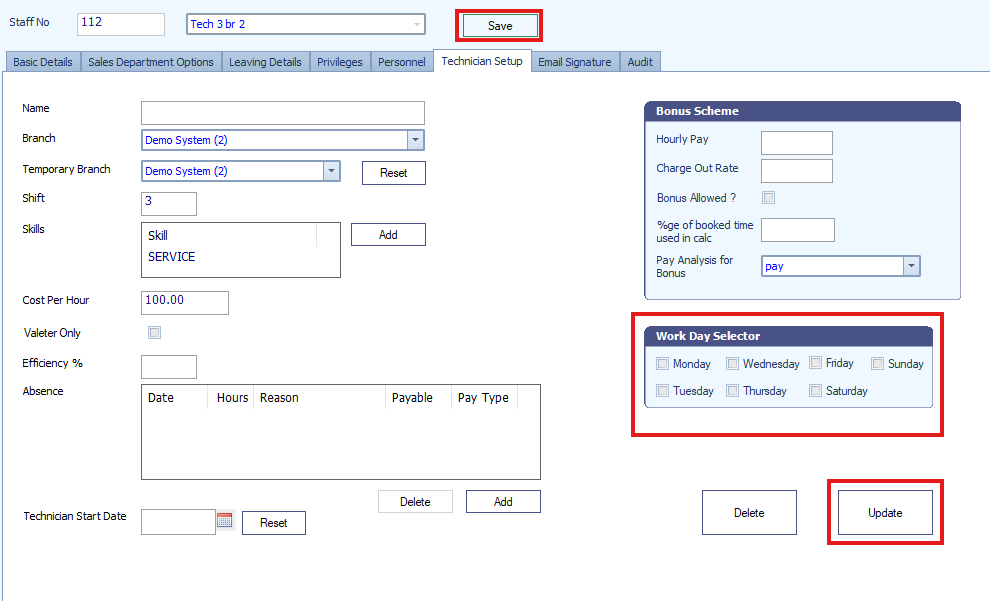
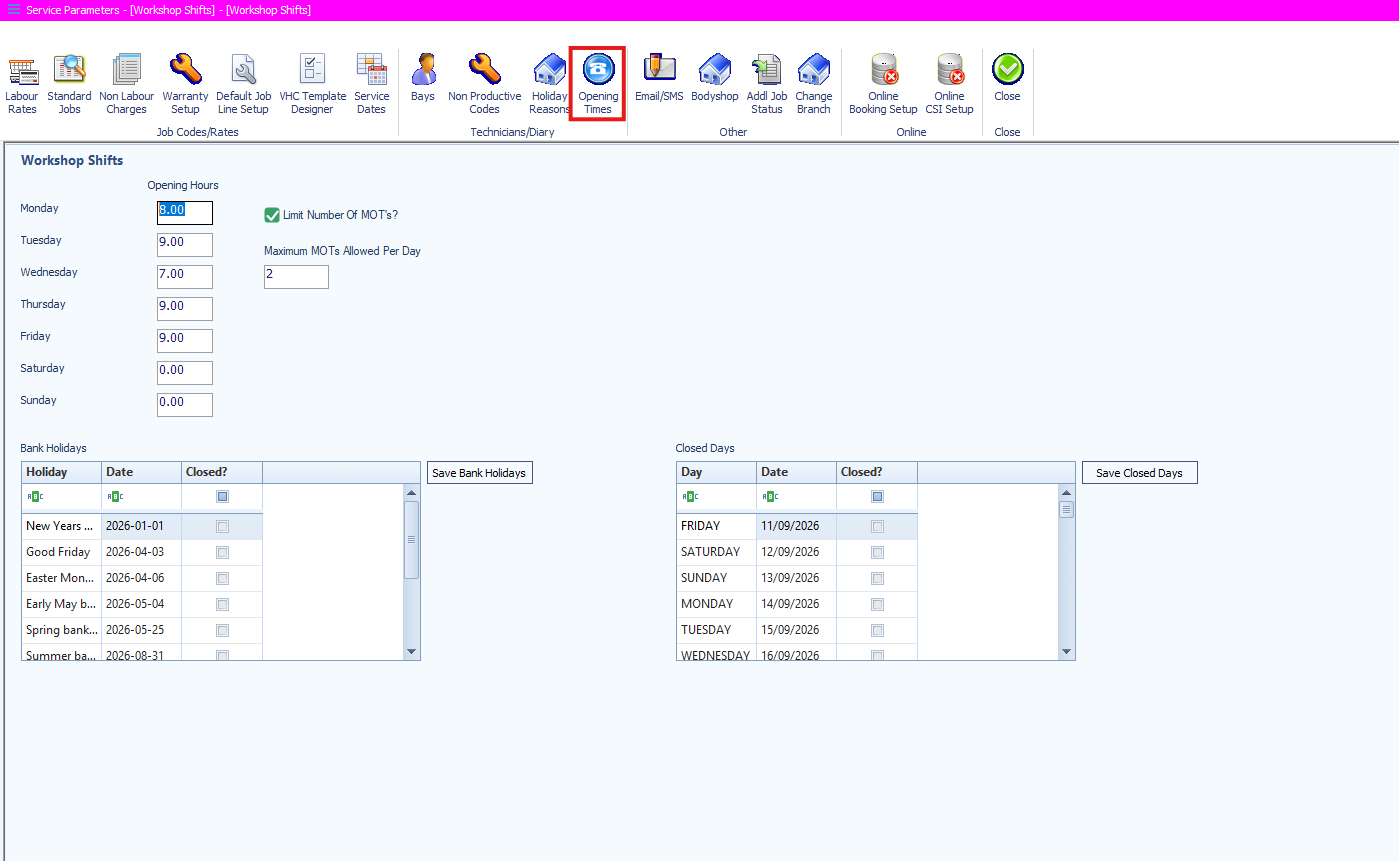
You will also need to ensure that the opening hours for that day have been set within Workshop > Service Parameters > Opening Hours
Was this article helpful?
That’s Great!
Thank you for your feedback
Sorry! We couldn't be helpful
Thank you for your feedback
Feedback sent
We appreciate your effort and will try to fix the article